SSO ID – Rajasthan SSO Portal Login And Registration In 2025
Accessing Indian government services in Rajasthan is now simpler with the SSO (Single Sign-On) Portal. If you’re a resident of Rajasthan, having an SSO ID is important for various govt schemes and online services. Once registered, you can manage everything from one platform.
What is Rajasthan SSO Portal?
SSO Portal is an online portal launched by the India’s Rajasthan government where you can access all the govt services. Earlier you had to visit the government offices but now everything is online.
Just login with SSO ID and you can access Rajasthan SSO services like Aadhaar card, ration card, e-Mitra login and other facilities from one place.
What is SSO ID?
SSO ID (Single Sign-On ID) is a type of digital identity given by the Government of Rajasthan India. It allows citizens to access multiple government services from a single platform.
Once you login to Raj portal through SSO ID, you can get the benefits of e-Mitra, BhamaShah, Rajasthan State Pollution Control Board (RSPCB), Public Health Department (PHED), and many other services directly from one place.
SSO Login Process – Step-By-Step Guide
You need your SSO ID and password to login your SSO. If you don’t have ID, you need to register on SSO Rajasthan. After signing up, you get a unique digital identity and password to Sign in.
- Go to official website: https://sso.rajasthan.gov.in/
- On the homepage, Click on ‘Login to RajSSO’ button.

- Now, enter your SSOID/username and the password you created during registration.
- You’ll see a CAPTCHA code on the screen, type it in correctly.
- After filling in all the details, click the ‘Login’ button.

you’ll reach your dashboard. From here, you can easily access and manage various government services.
Tip
If you have registered on the portal and now forgot your SSO ID or password to login, Don’t worry! You can easily reset SSO password and recover lost SSO ID online on the portal or by using SMS service with your registered mobile number.
Rajasthan SSO Portal Registration Process
You can easily get your SSO ID by registering on the Rajasthan SSO (Single Sign-On) Portal.
- Visit web: https://sso.rajasthan.gov.in/
- Click on ‘Register’ button to start sign up.

- Now select from Citizen/Udhyog or Govt employee
- If you are a resident of Rajasthan, you can register using your Jan Aadhaar card, or through Google account.
- For a business, you can register using your Business Registration Number (BRN).
- For government employee, you will need to register using your State Insurance and Provident Fund (SIPF) ID.

- Link your Jan Aadhaar id, google account or SIPF id, based on the option you selected.
- Fill in your personal information like your name, mobile number, and email ID.
- Enter the OTP on the portal to verify your number.
- Now you will create a unique username and password. This username will be your SSO ID that will be required every time you log in to the Rajasthan SSO Portal.
- After filling in all the information and completing the verification, click on the ‘Submit’ button.
Once registered successfully, you can log in to the Rajasthan SSO website using the username and password you just created.
Eligible Users For SSO Registration
- Rajasthan Citizens: Residents of Rajasthan can register on this portal.
- Business Owners: Individuals with a Business Registration Number (BRN) can register for business-related services.
- Government Employees: Employees with a State Insurance and Provident Fund (SIPF) number can also register.
Documents Required For SSO ID Registration
During the registration process, citizens of Rajasthan need to provide one of the following documents:
- Jan Aadhaar Card
- Google Account
- SIPF ID
- Aadhaar Card
- Bamashah Card
Service Name | Rajasthan Single Sign-On (SSO) Portal |
|---|---|
Purpose | To provide easy access to various government services through a single portal |
Who Can Use It | Rajasthan residents, Udhyog, government employees |
Main Feature | One-time login for multiple government services |
Key Services Offered | e-Mitra, Bhamashah, RSCIT, Pollution Control Board (RSPCB), PHED, and more |
Eligibility for Registration | Rajasthan citizens, business owners with BRN, government employees with SIPF number |
Registration Process | Online registration with Aadhaar, Bhamashah, Facebook, Google, etc. |
Login Requirement | SSO ID and password |
Support | Helpdesk available via phone, email, and live chat |
Official Website | |
Benefits | Quick access to government schemes, easy tracking of services, time-saving |
Date of Launch | Introduced in 2013 |
Benefits Of SSO Rajasthan
- Access multiple government services with a single login, no need to remember various usernames and passwords.
- Simplify processes such as applying for government jobs, making bill payments, and submitting online applications.
- Ensures safe and encrypted data handling, providing a secure platform for users.
- Reducing the need for physical paperwork and promoting eco-friendly practices.
- Offers 24 hours access to various services from anywhere with an internet connection.
- Serves as a one-stop solution for accessing services like e-Mitra, Bhamashah Card, and employment opportunities, simplifying interactions with government departments.
How To Delete SSO ID Rajasthan?
- Sign in to portal: https://sso.rajasthan.gov.in/signin
- Go to “Edit profile” on the dashboard.
- Click on “Deactive Account” button on the update profile page.

- Click yes on the confirmation box.
- Enter your registered mobile number and verify OTP.

- Your account will be deleted after verification.
Help Line
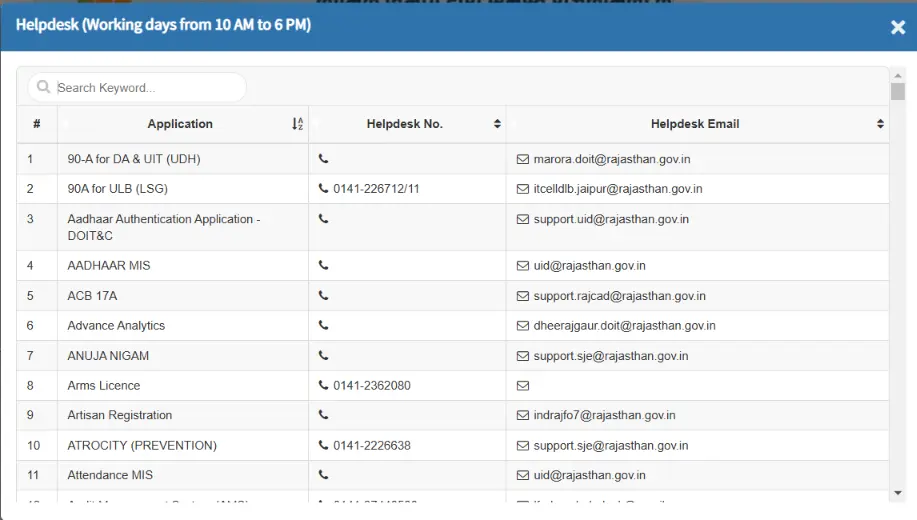
Need Help with SSO Login or Registration? If you face any issues while logging in or registering on the Rajasthan SSO portal, you can easily reach out to the SSO helpdesk for assistance. They provide quick support and resolve your queries efficiently.
- Helpline number: 0141-2925554 or 0141-2925555.
- Email Address: [email protected].